LABDESK Coming soon

Features

Everything a small lab does in a day.

From registering a patient to closing the day's money, in one program that works offline.

Reports

Reports that look like your lab

Print on your own letterhead, with your doctor's signature. Choose how the patient box looks from eight designs.

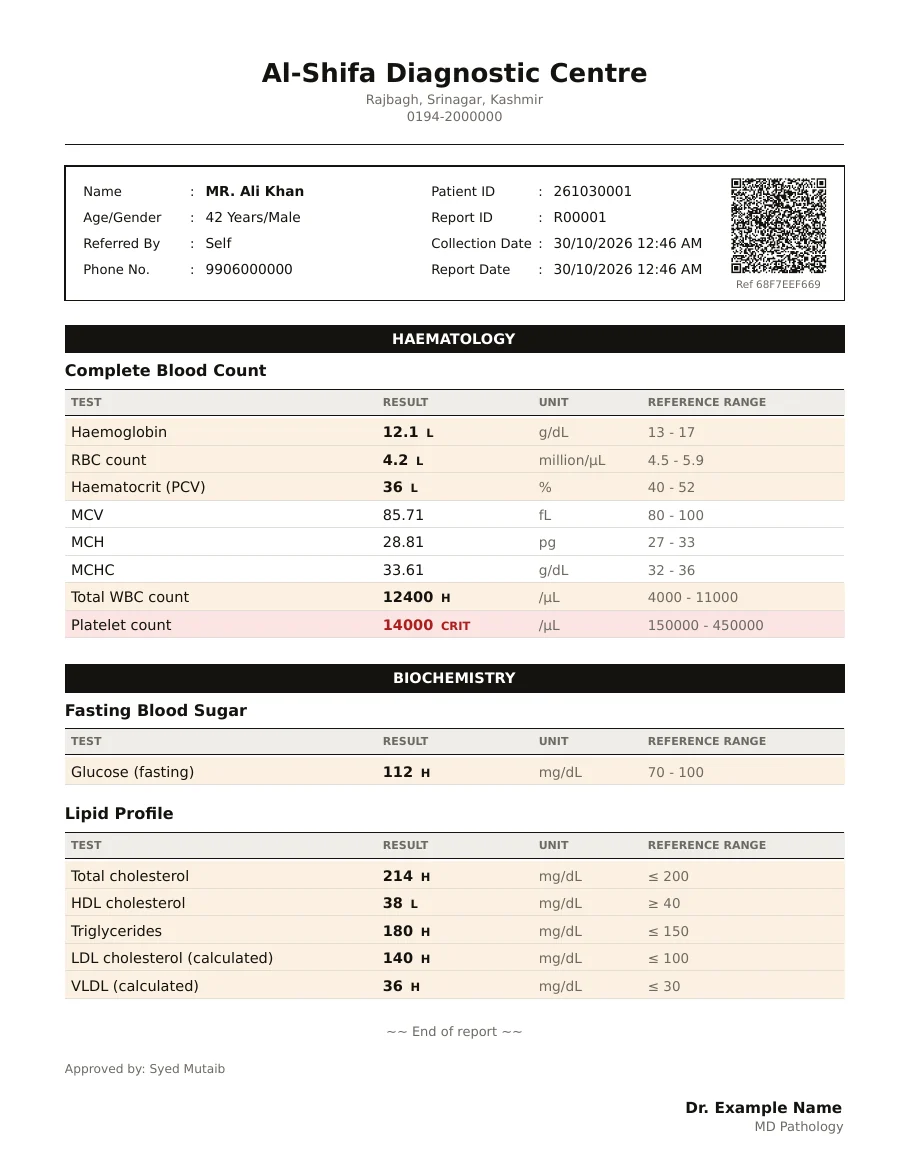
  • Reference ranges follow the patient's age and sex, and you can edit every range.
  • High, low and critical values are flagged on the report.
  • Calculated values such as LDL and VLDL fill in by themselves.
  • Every report carries a QR code and a short reference code made from the approved values.
  • Make the PDF with or without letterhead, for pre-printed paper or plain paper.
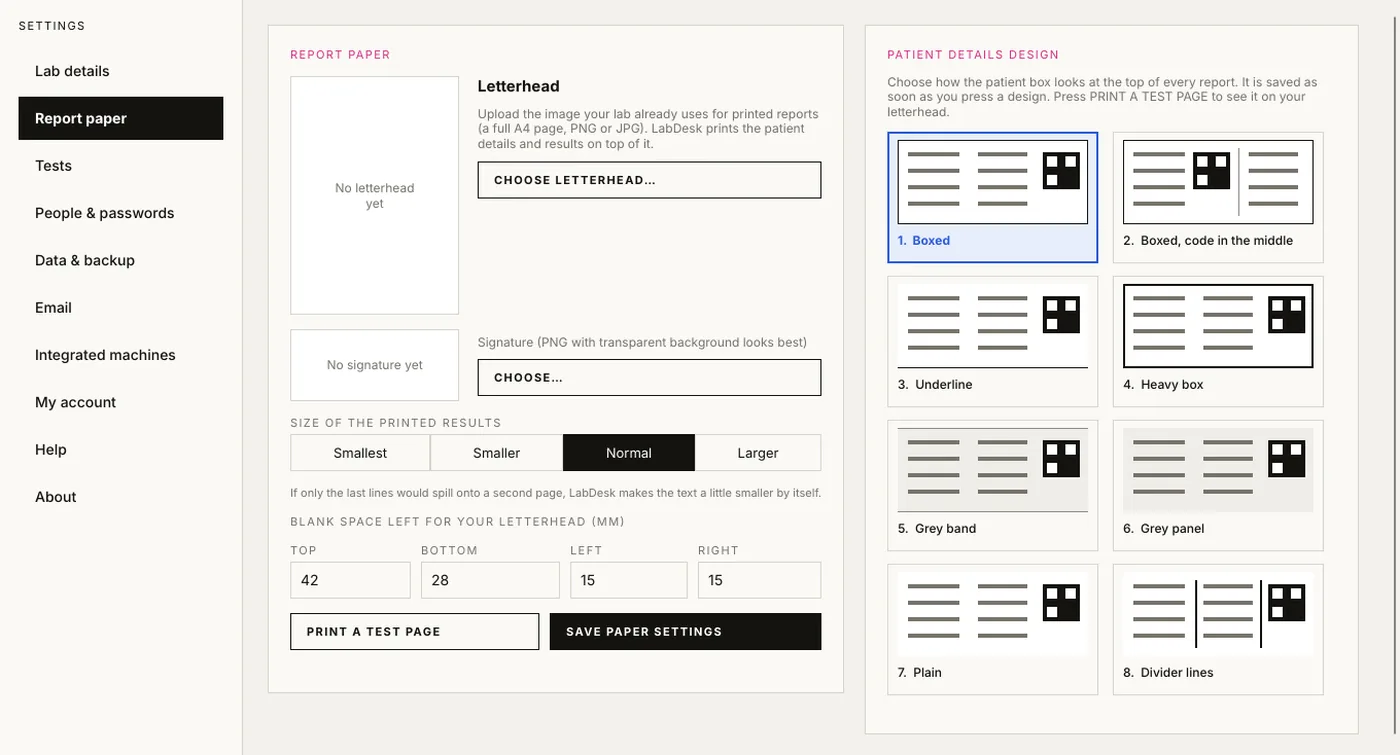
The LabDesk report paper settings with eight patient box designs

Patients

Patients and their history

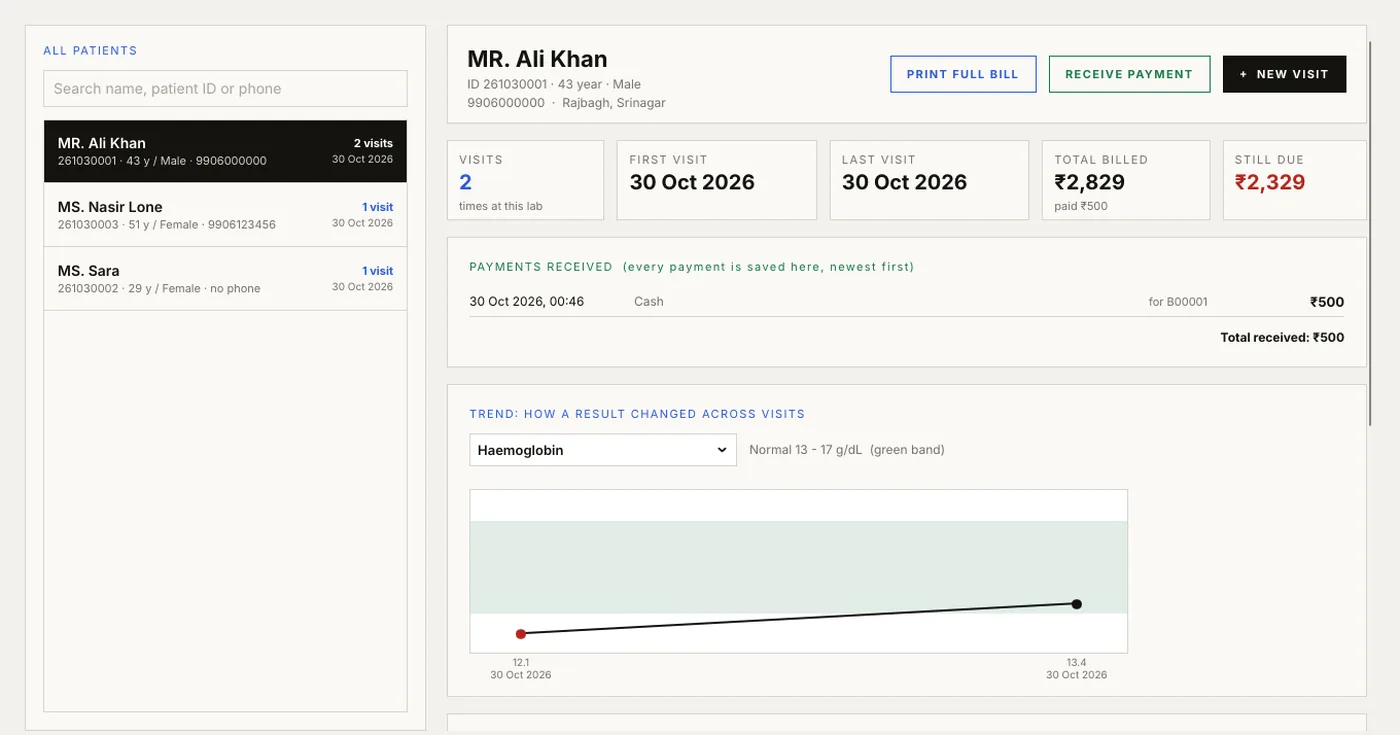
Find a returning patient by name or phone, see every visit and payment, and watch a result change over time.

  • Type a name or phone number and LabDesk shows people it already knows.
  • Record who referred the patient. The doctor's name prints on the report.
  • A trend chart shows how a result, such as haemoglobin, changed across visits, against the normal band.
  • Correct a mistake with a reason. The earlier version stays in the history.
A LabDesk patient page with visit history, payments and a trend chart

Billing

Money, kept straight

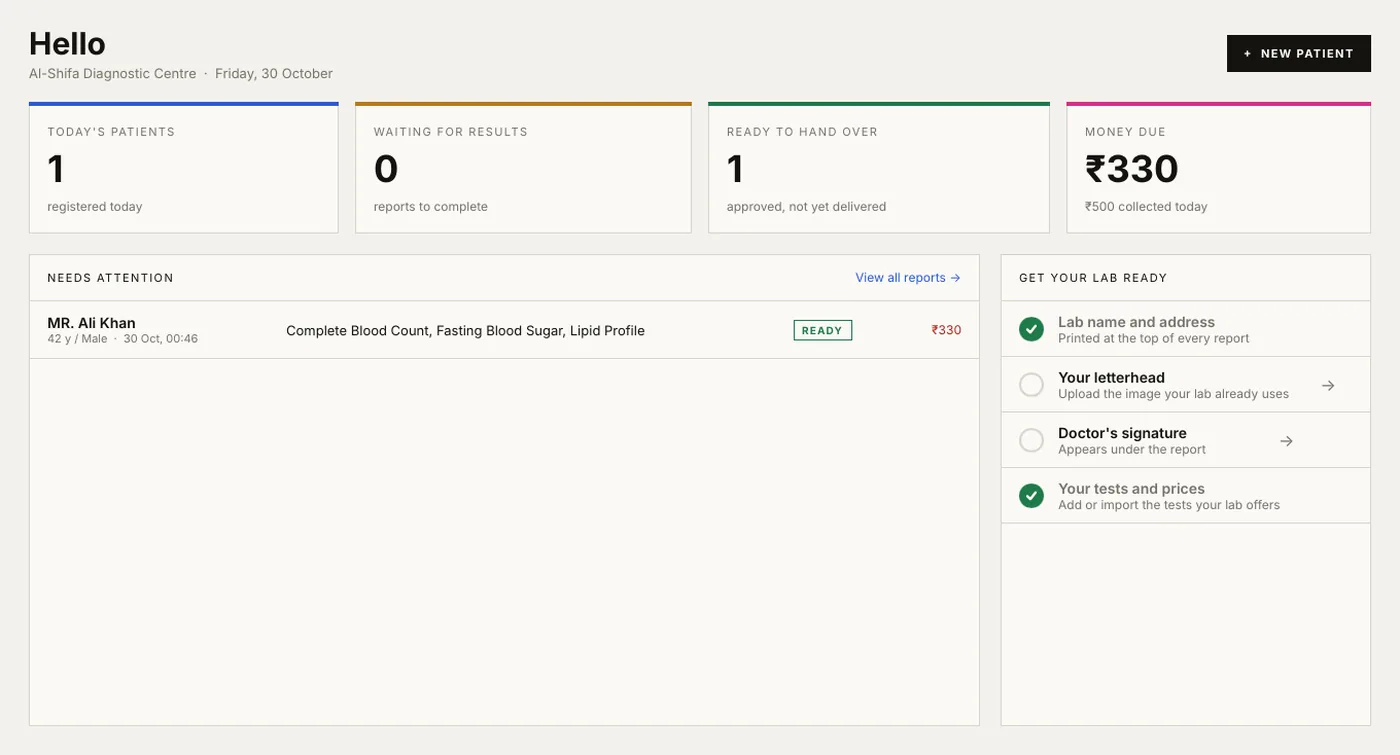
Take payments, print bills and always know what is still due.

  • Payments are saved as cash, UPI, card or bank, against the visit they belong to.
  • Discounts and part payments are supported, and the amount still due is always shown.
  • Print a bill as soon as the patient is registered, before any result is ready.
  • A summary for any range of days, by referring doctor, with a CSV export.
The LabDesk home screen showing today's patients and money due

Analytics

See how the lab is doing

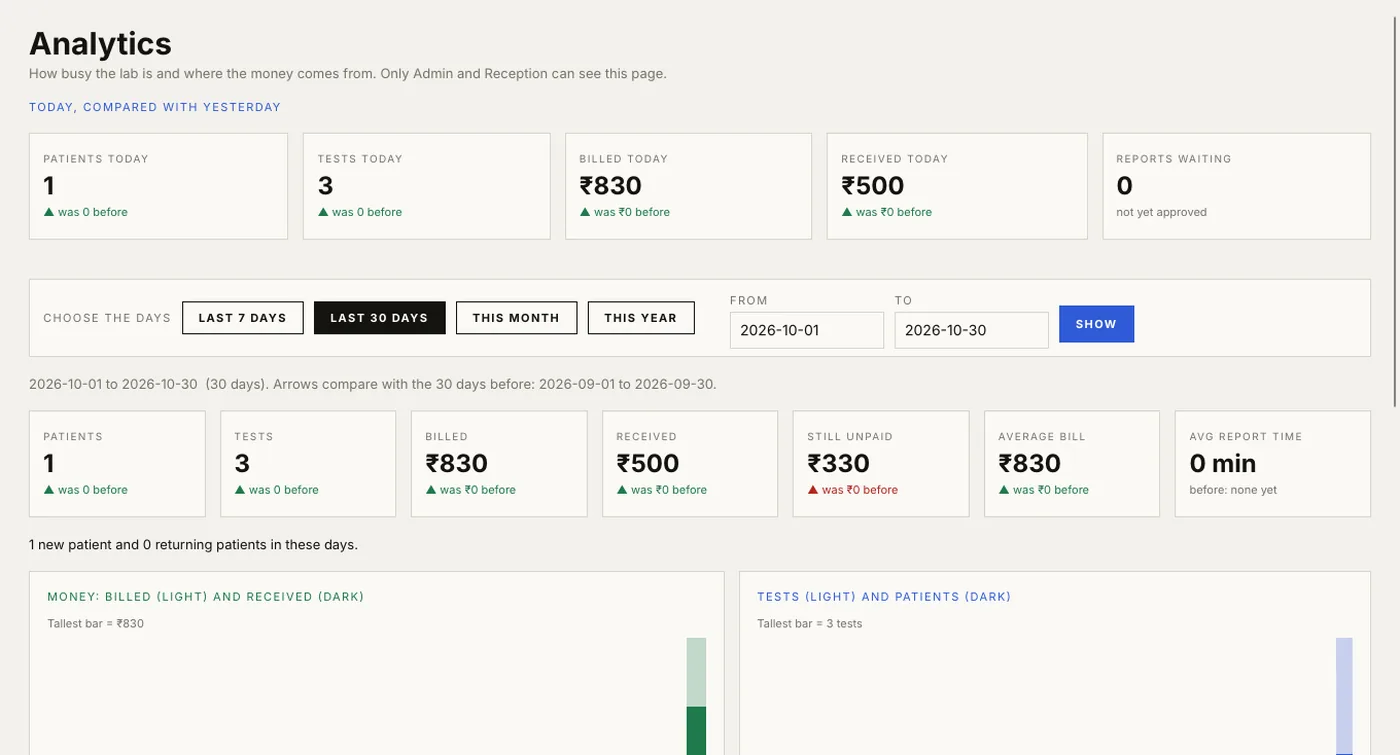
For Admin and Reception: today against yesterday, and any range of days against the days before.

  • Patients, tests, billed money, received money, still unpaid, average bill and average time to approve a report.
  • Charts of money and of workload, per day or per month.
  • How people paid, which departments are busy, the most-done tests, and the busiest hours.
  • Only Admin and Reception can open it, because it shows money.
The LabDesk Analytics page with summary tiles and charts

Sharing

Hand reports over, your way

Print it, save the PDF, email it or send it on WhatsApp Web. Nothing is sent until the person at the desk presses the button.

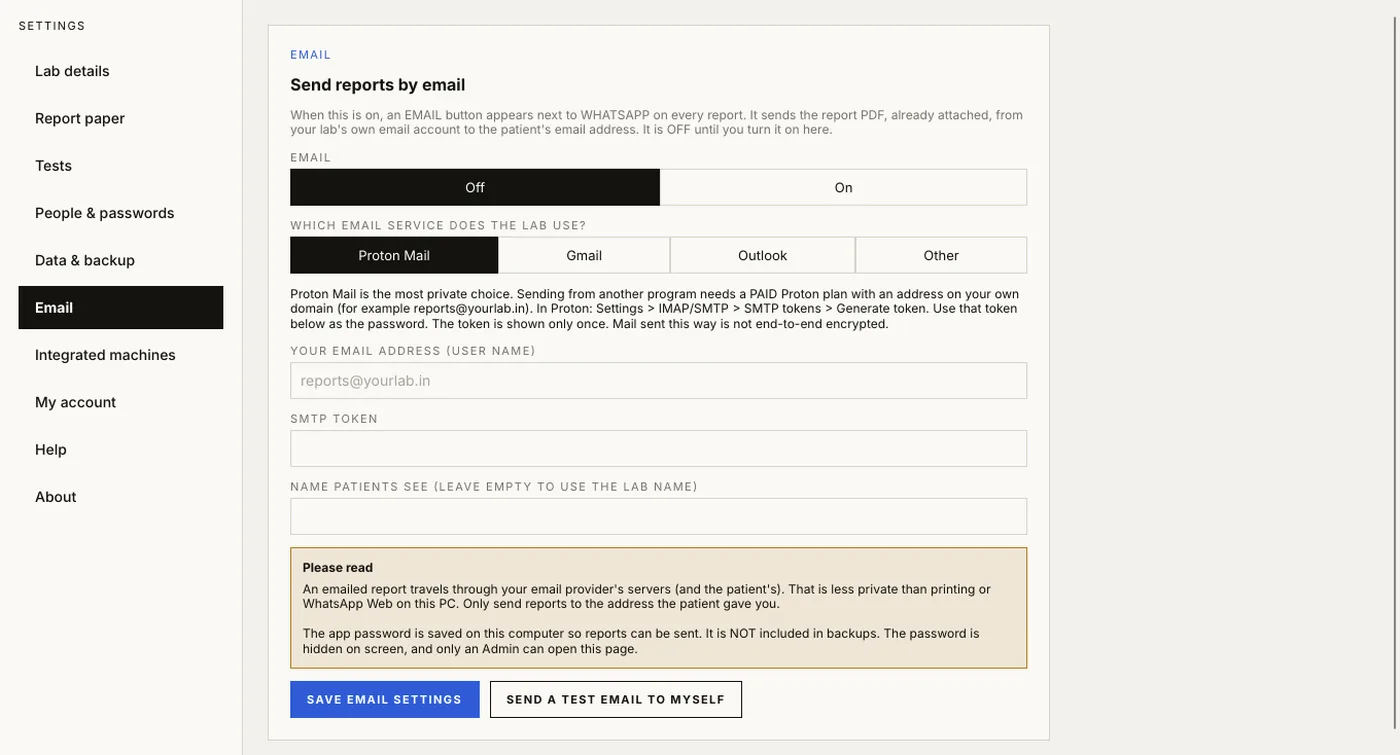
  • EMAIL sends the PDF as an attachment from your lab's own address. Proton Mail, Gmail, Outlook or any SMTP server. Off until the Admin turns it on.
  • WHATSAPP opens the patient's chat in WhatsApp Web. With the LabDesk Bridge extension, the PDF is attached for you.
  • You always check the report and press Send yourself.
The LabDesk email settings page

Tests

288 tests ready, and yours to edit

Start with a standard list of tests, units and ranges, then change what your lab does differently.

  • Edit prices, units and normal ranges for any test, including ranges by age and sex.
  • Add your own tests with their own fields.
  • Changes apply to new patients. Reports that were already made never change.
  • Your pathologist should check the ranges for your lab and methods before reports go out.
A sample LabDesk report